Document your work like a professional
You're a professional artist. Every piece you create deserves proper documentation. Each tattoo is a project with linked appointments, reference images, notes, and task lists, all in one place.
The problem
Tattoo details get lost between sessions
Reference images buried in DMs
Clients send inspiration over Instagram. By the time you sit down to draw, those images are lost in a sea of messages.
No single source of truth
Design notes in one app, reference photos in another, appointment details somewhere else. Nothing is connected.
Multi-session pieces fall apart
A sleeve across six appointments needs continuity. Without a proper record, details get forgotten between sessions.
The solution
Every tattoo, fully documented
pencild treats each tattoo as its own project. From the first reference image to the healed photo, everything is attached, organised, and easy to find. Multi-session pieces stay connected across appointments.
Status tracking.
Mark projects as in progress, completed, or cancelled. Know exactly where every piece stands at a glance.
Linked appointments.
Connect multiple appointments to a single project. Consultations, sessions, and touch-ups all stay together.
Rich text notes.
Write detailed descriptions with inline images. Placement details, colour references, style notes -- all formatted and searchable.
Image gallery.
Attach reference images, design iterations, progress shots, and healed photos directly to each project.
Task lists.
Add to-do items for each project. Track design prep, supply orders, and follow-up actions in context.
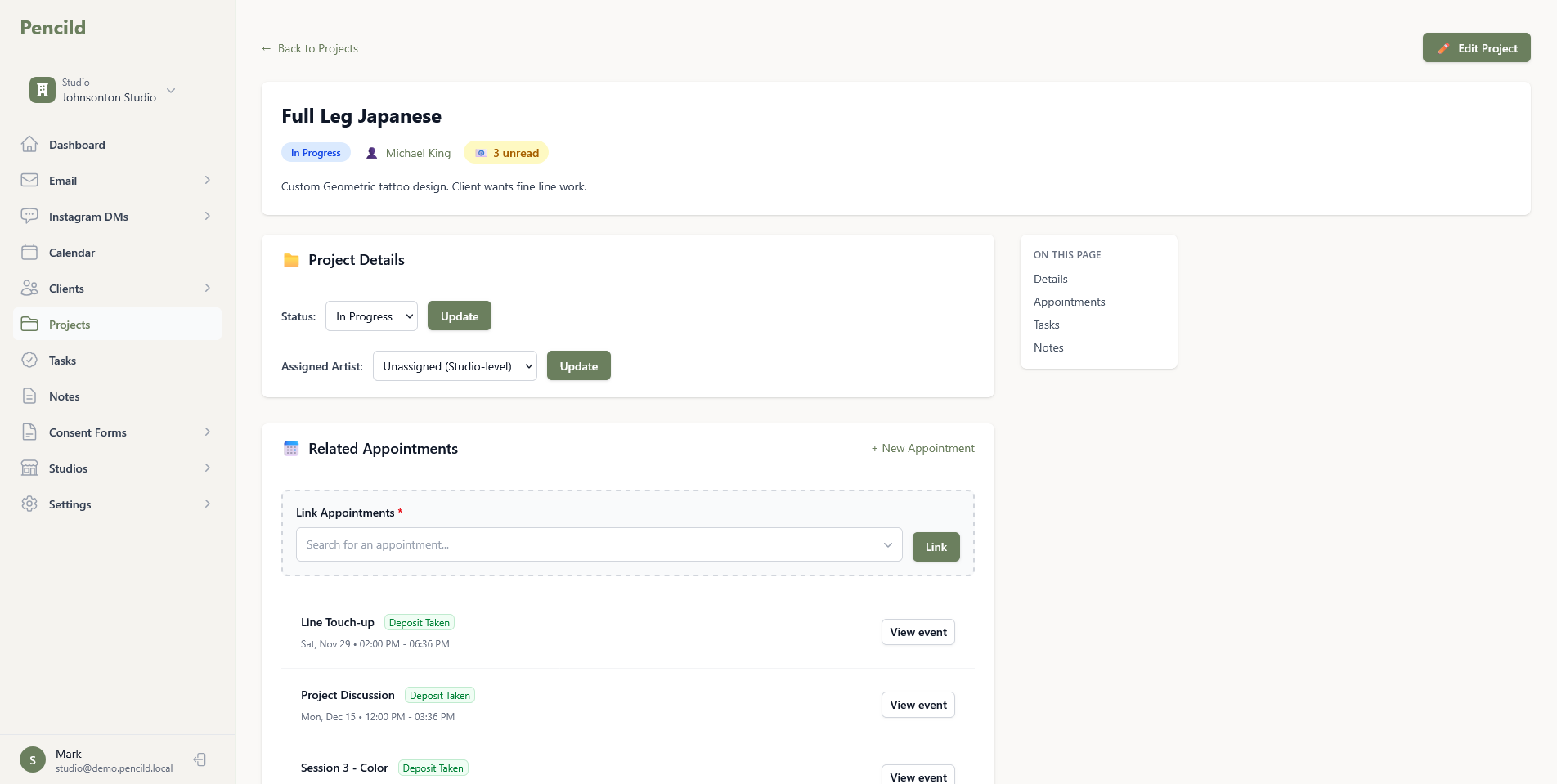
Organised by default
Built for multi-session pieces and returning clients
Whether it's a single session flash piece or a full sleeve over six months, pencild keeps everything connected and easy to reference.
Client-linked projects
Every project is connected to a client. See all their pieces, past and present, from one place.
Artist assignment
In a studio, assign projects to specific artists. Everyone sees the work that belongs to them.
Smart sorting
Projects sort automatically by next appointment date. The work that needs attention first is always at the top.
Filter by what matters
Filter projects by unread client emails or missing upcoming appointments. Spot gaps in your schedule instantly.
Notes with inline images
Add detailed notes with embedded images. Keep visual references right alongside your written thoughts.
Complete project history
Every appointment, note, image, and task is recorded. Build a complete history of each piece you create.
Ready to run your business like a professional?
Start your free trial and give every piece the documentation it deserves.
14-day free trial. Add a card to extend to 30 days.